Welcome to our Knowledge Base
Instruction of Printing Bill of Lading from Vendor Dashboard
Table of Contents
从供应商仪表板打印提单的说明
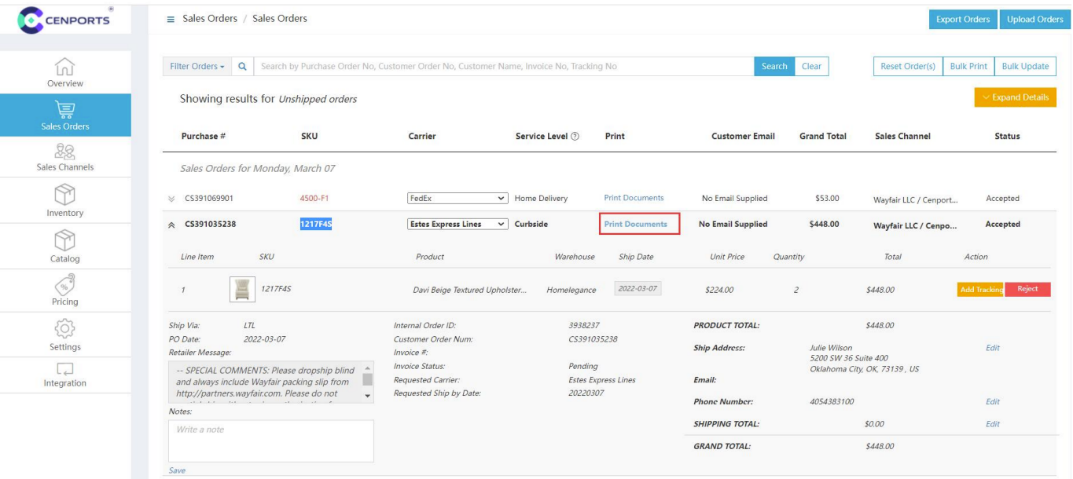
1.) Open 您的 vendor dashboard, click “销售 订单s” 和 find 您的 order number. Once you find the order number, click “Print Document”
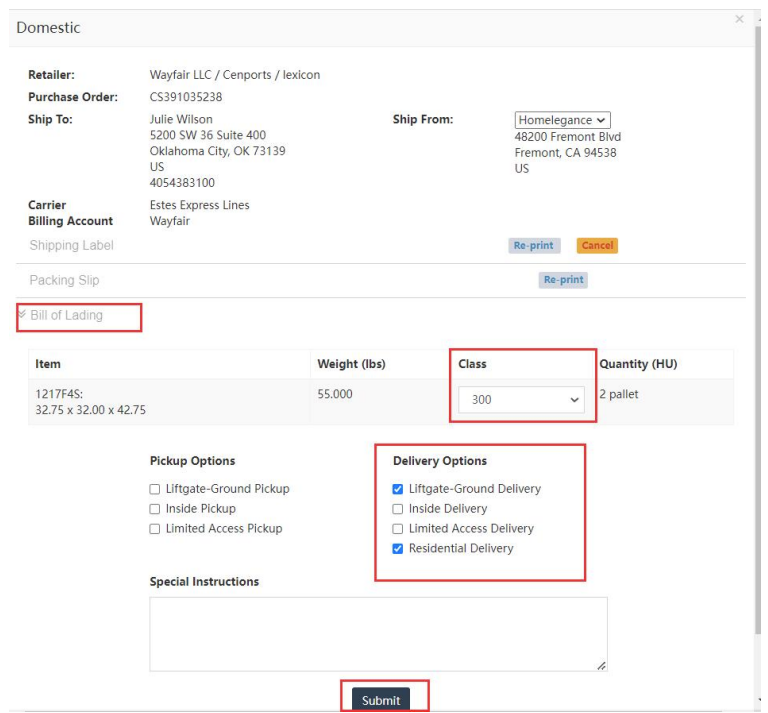
2.) Open “Bill of Lading”, select the “Freight Class”, 和 then select the “Delivery Options” that are needed. Finally click “Submit”, then 您的 BOL will start to download.