Welcome to our Knowledge Base
How to Print Multiple Labels/ Bulk printing
Table of Contents
如何打印多个标签/批量打印
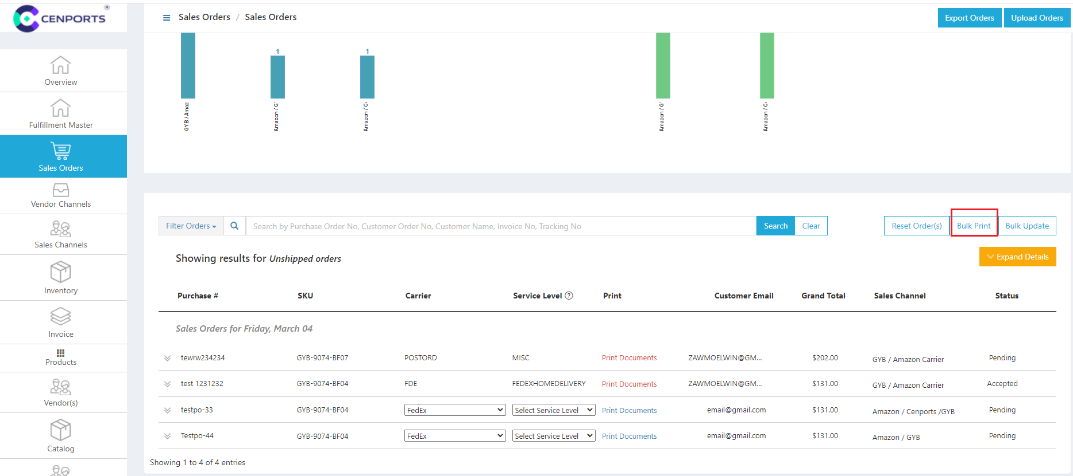
1.) Open 您的 vendor dashboard, click “销售 订单s”. Then click Bulk printing.
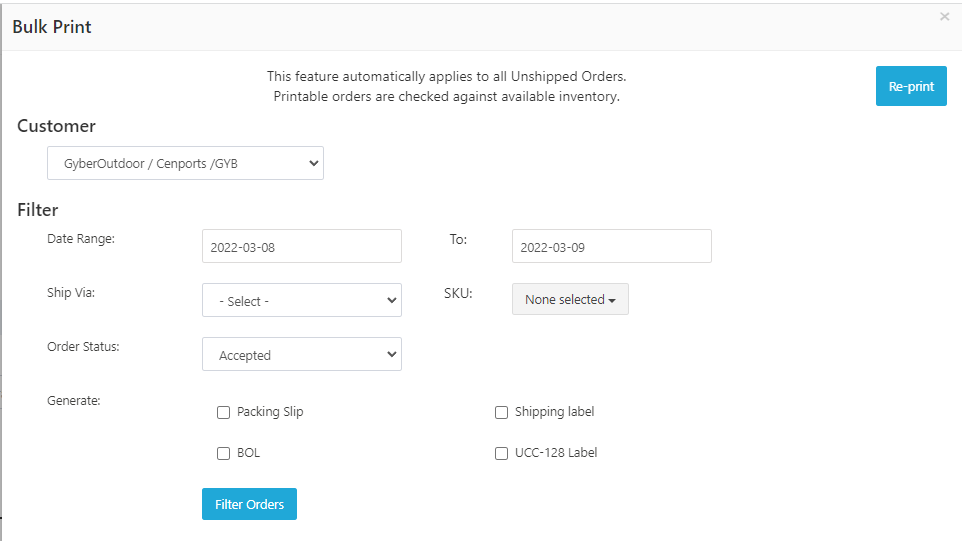
2.) Choose Customer.

3.) Once you select a customer, you can choose like Ship via 和 运输 Label. Then select Print.