Place an order
HOW TO PLACE AN ORDER IN OUR DASHBOARD
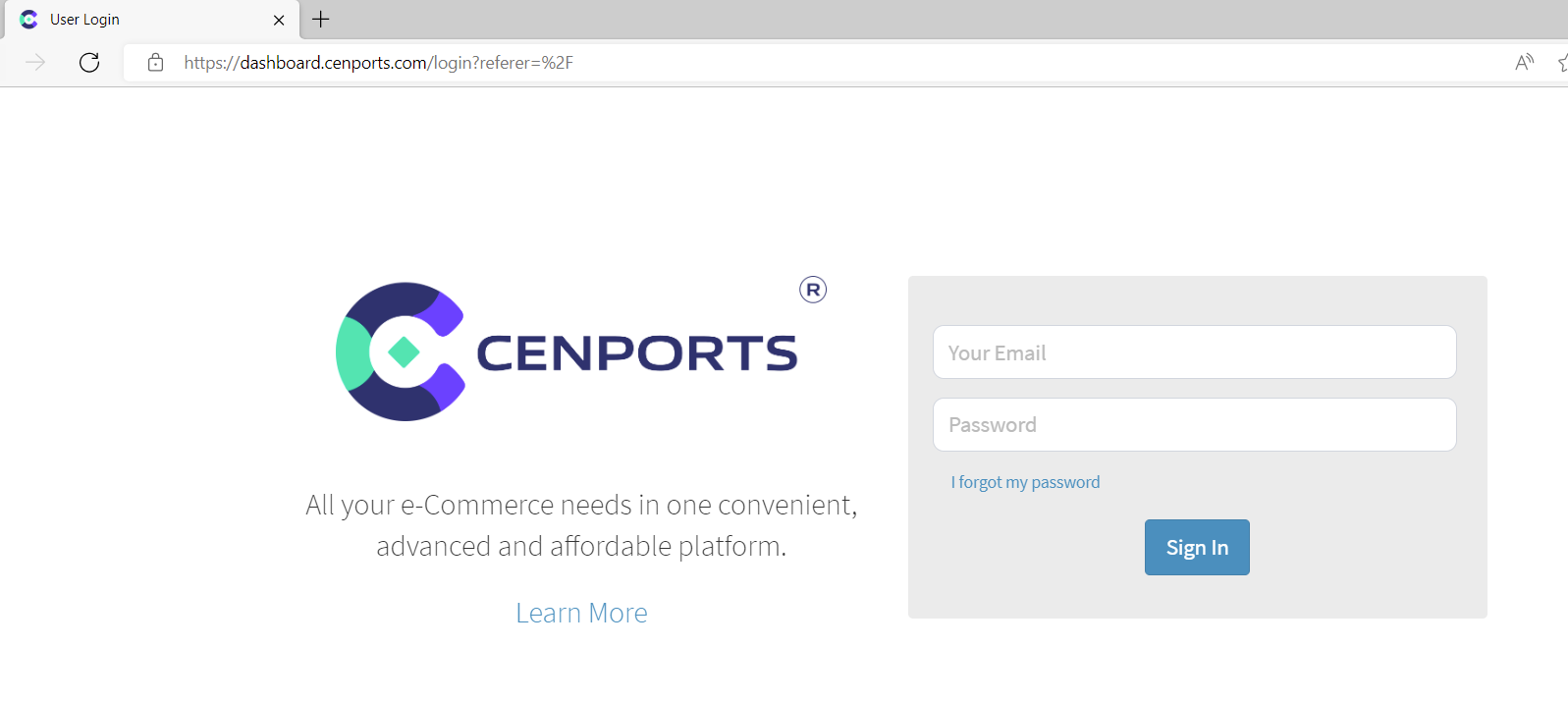
1.) Go to https://dashboard.mportsco.com/login . Enter 您的 username 和 password.
2.) On the left navigation side, click Vendor then under Active order, click “Add New Purchase 订单/Stock Check”.

3.) Then you may pick whatever product you want to order.
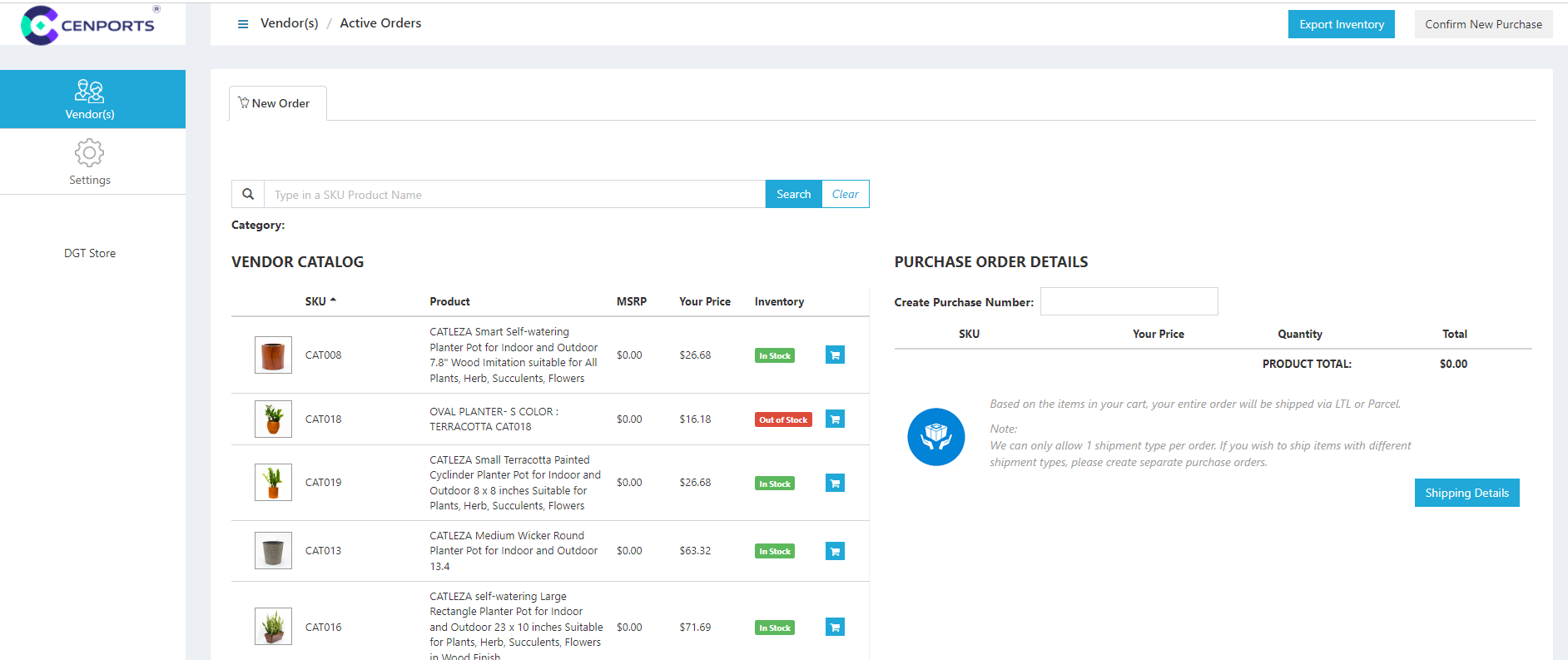
4.) Click the cart you want to add in 您的 order.

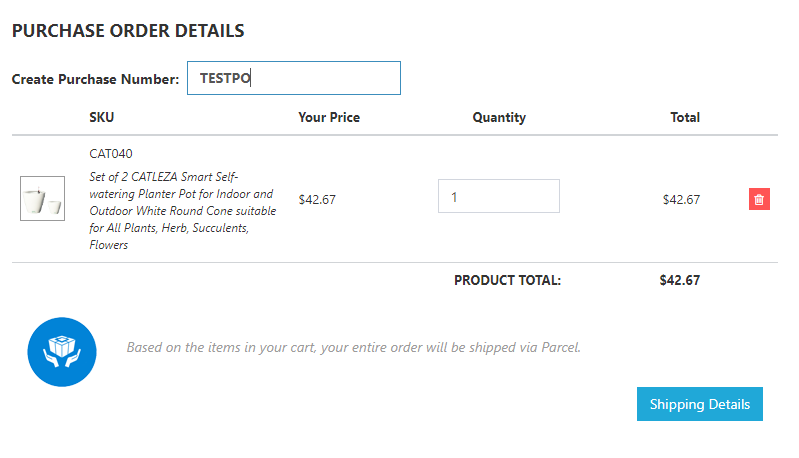
5.) It will add under our “Purchase 订单 Details”. You need to fill up the “Create Purchase Number”. In this case, we add “TESTPO” as an example. You can also change the QTY you want to add in 您的 order. Once you input 您的 Purchase number 和 QTY, click “运输 Details”.
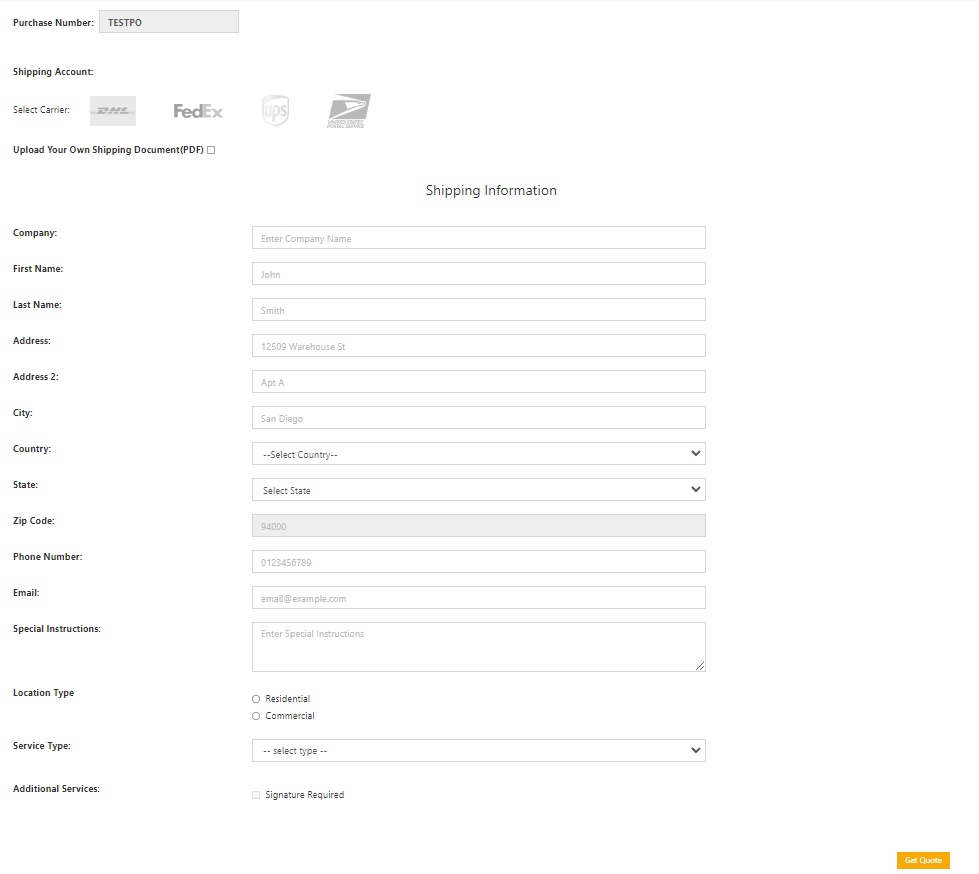
6.) You should fill up all information in the below image.
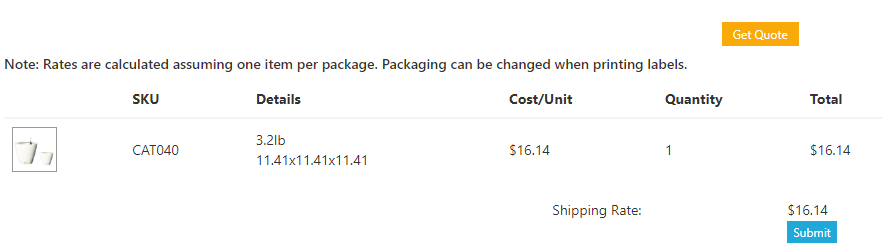
7.) Once you click “Get Quote”, this will provide you the estimated shipping cost for the item. Click Submit.
8.) This will provide you with a summary of 您的 order.
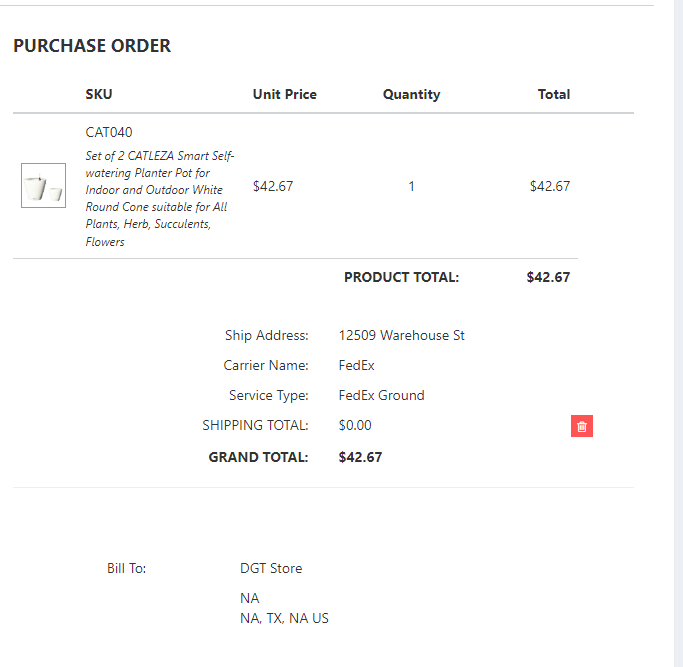
9.) Click “Confirm New Purchase”.
10.) The order will now appear under “Active 订单”
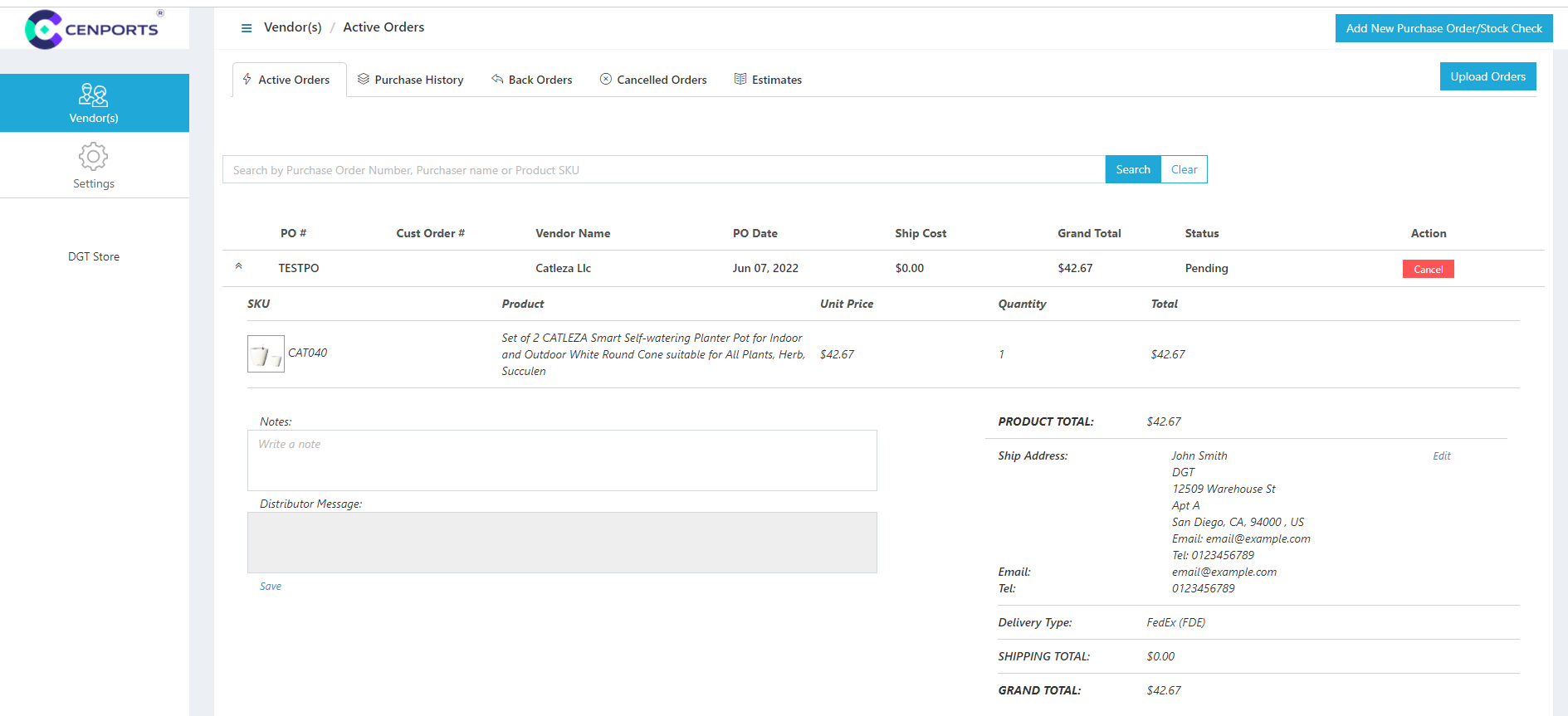
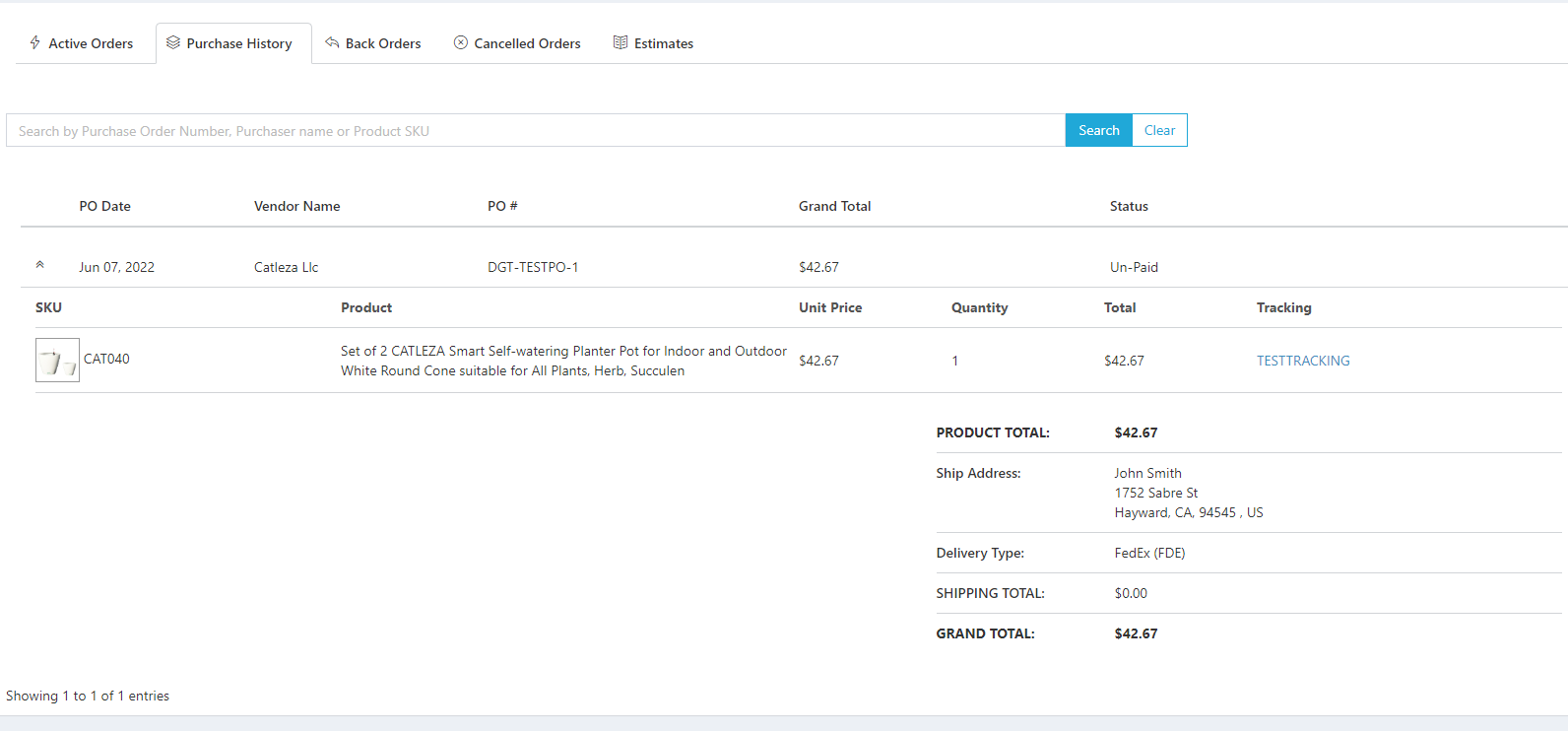
11.) Under Purchase History, you will enable to see the tracking number of 您的 order.