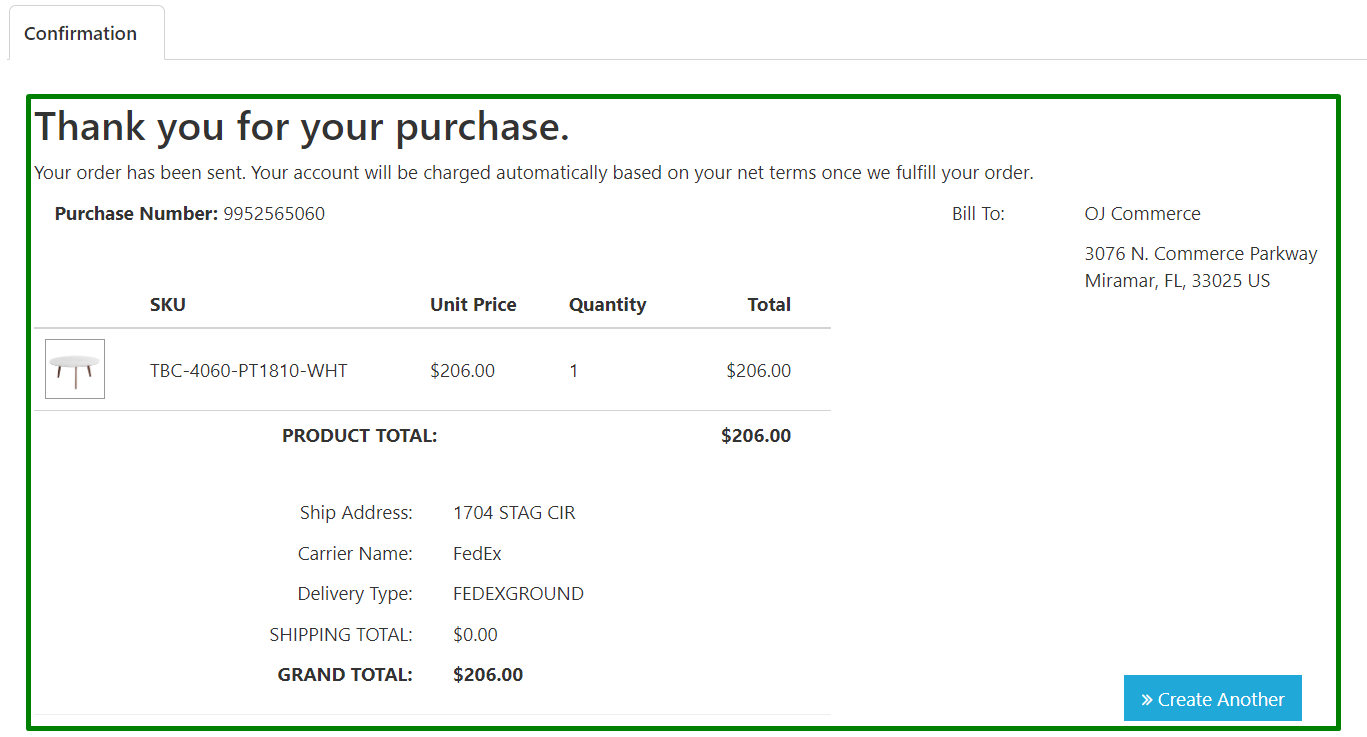
How to fulfill an order in mPorts Dashboard
1.) Go to 您的 internet browser 和 type dashboard.mportsco.com

2.) Type in the User email address 和 password. Once you enter email address 和 password, click Sign in.
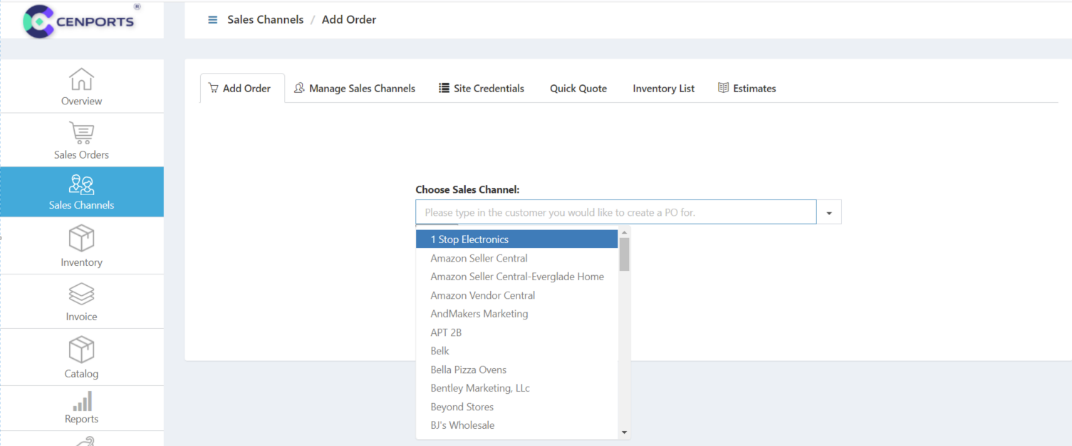
3.) Once in the main mPorts 仪表板 page, select 销售 Channel.
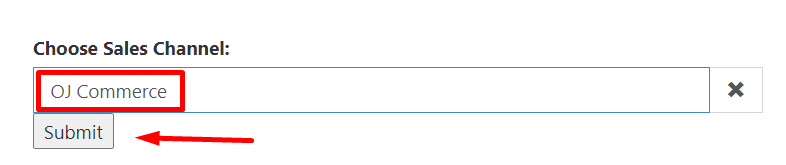
In this case, we will be adding an order from OJ商贸. Make sure that OJ商贸 is being selected under “Choose 销售 Channel field”. Then click Submit.
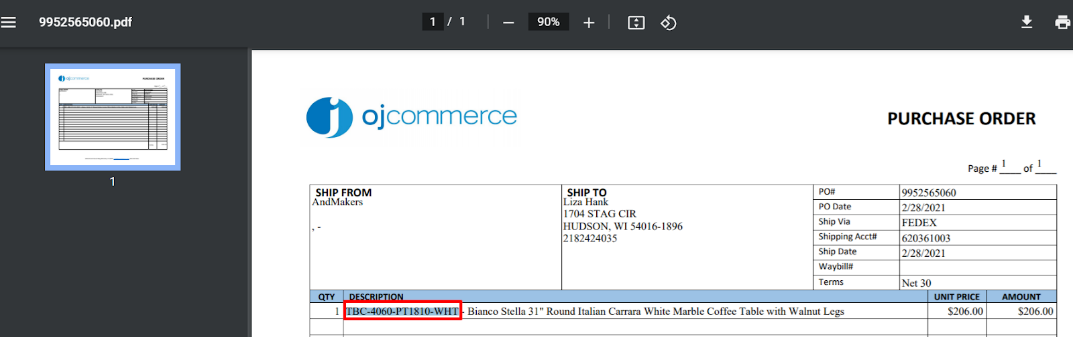
4.) Go back to 您的 downloaded PDF file from OJ商贸, then copy the SKU. In this case, the SKU is TBC-4060-PT1810-WHT.
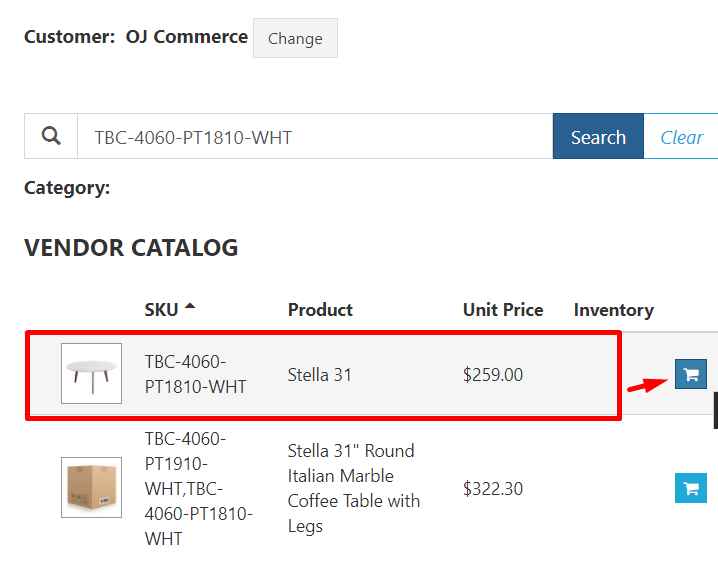
5.) Then, paste the SKU in the field beside the magnifying glass, then click 搜索. Add the SKU 通过 clicking on the blue icon on the right side, 和 you should see the information highlighted in red on the right side.
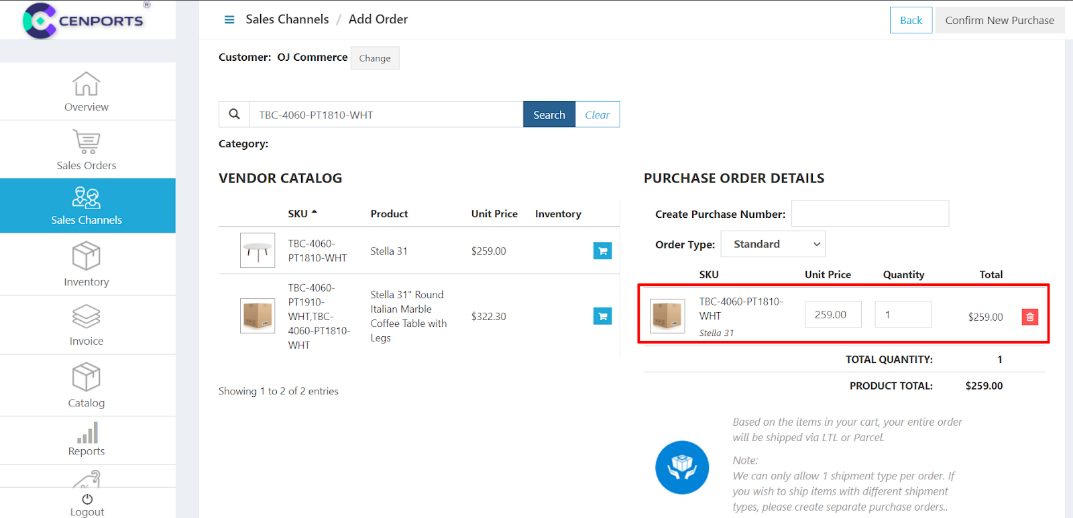
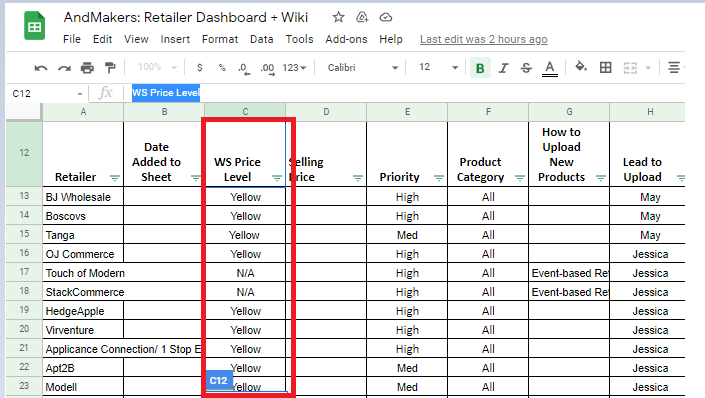
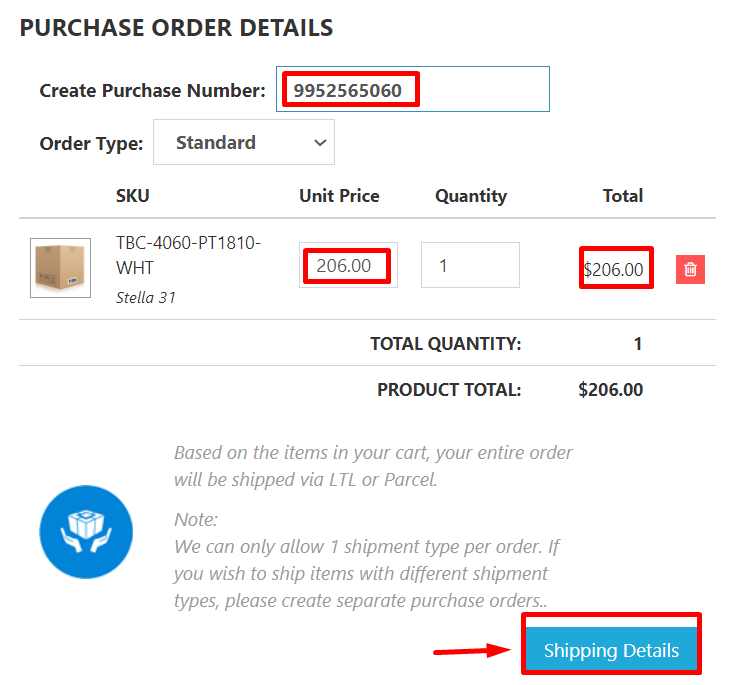
6.) Once you added all the SKU’s/items from the PO, copy the PO# 和 follow the 零售商 WS Price Level from our AndMakers: Retailer 仪表板 + Wiki sheet.
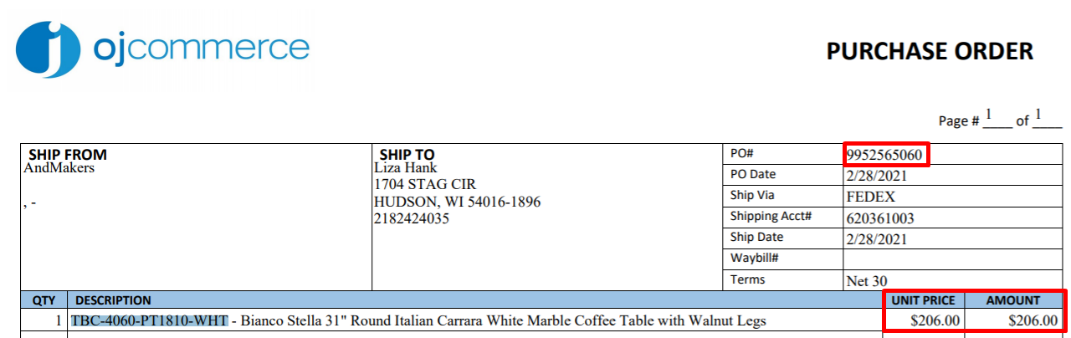
7. Make sure to check all the information are accurate. Click on 运输 Details.
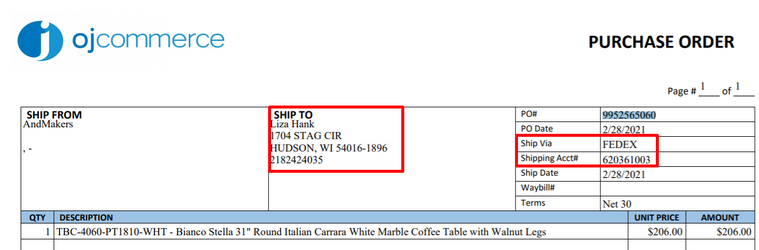
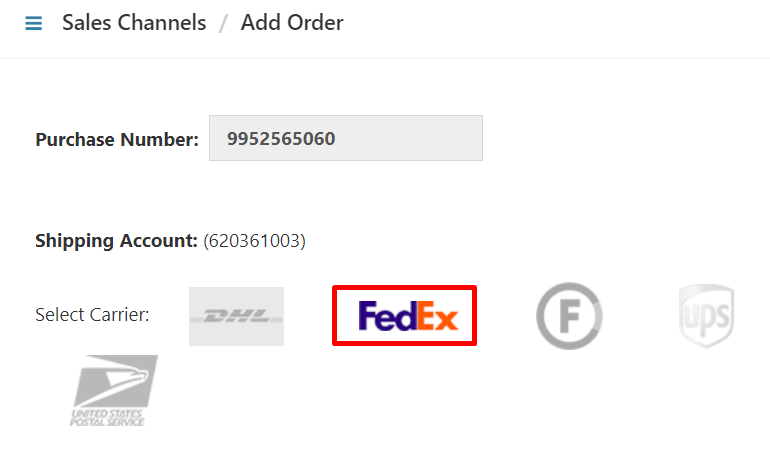
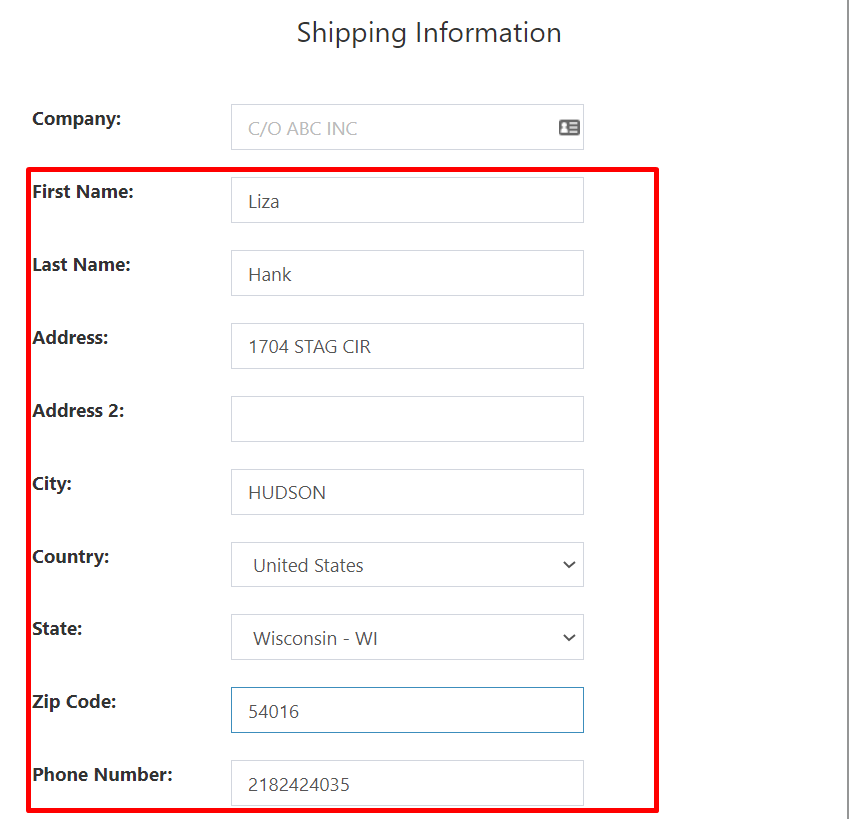
8.) Copy 和 Paste customers ship to information 和 select the carrier to use.
Paste the shipping information of the customer in the fields shown below. If t这里 is no phone number provided, you can put in 0000000000.
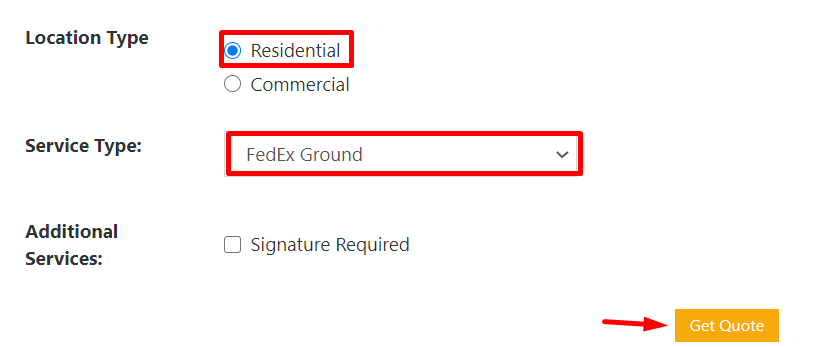
9.) Select “Location 和 Service type” then click Get Quote.
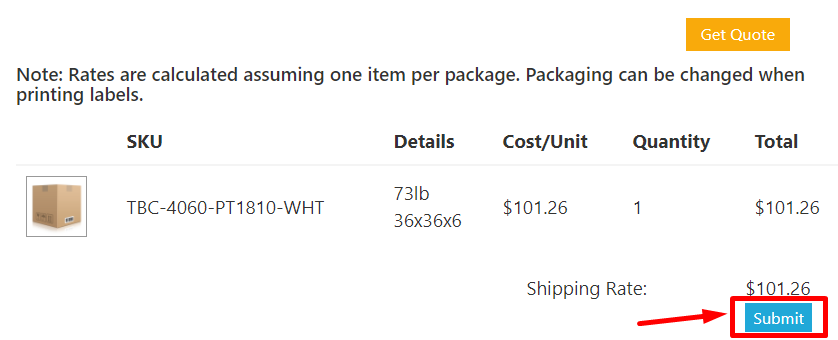
10.) Once you have done with the location 和 service type, click the Submit button.
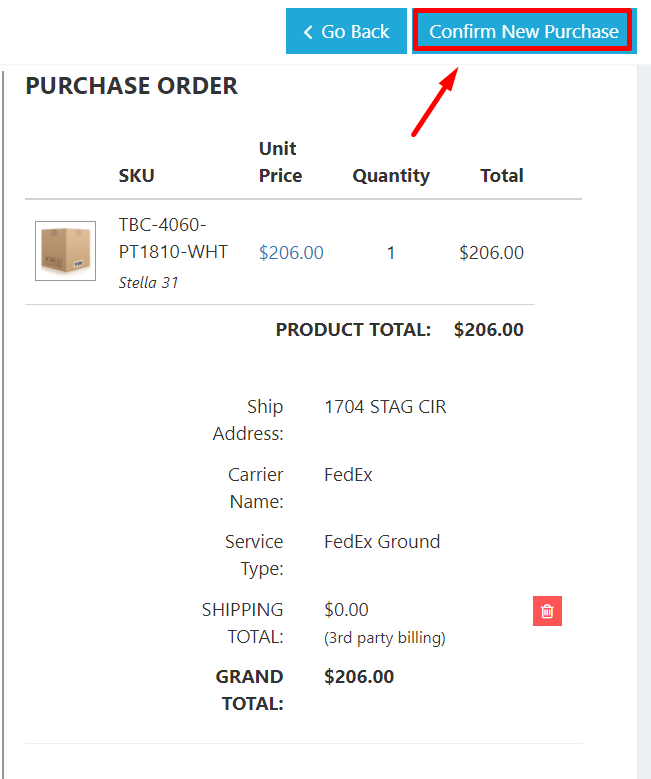
11.) Check if all information added are correct before you click on Confirm New Purchase.
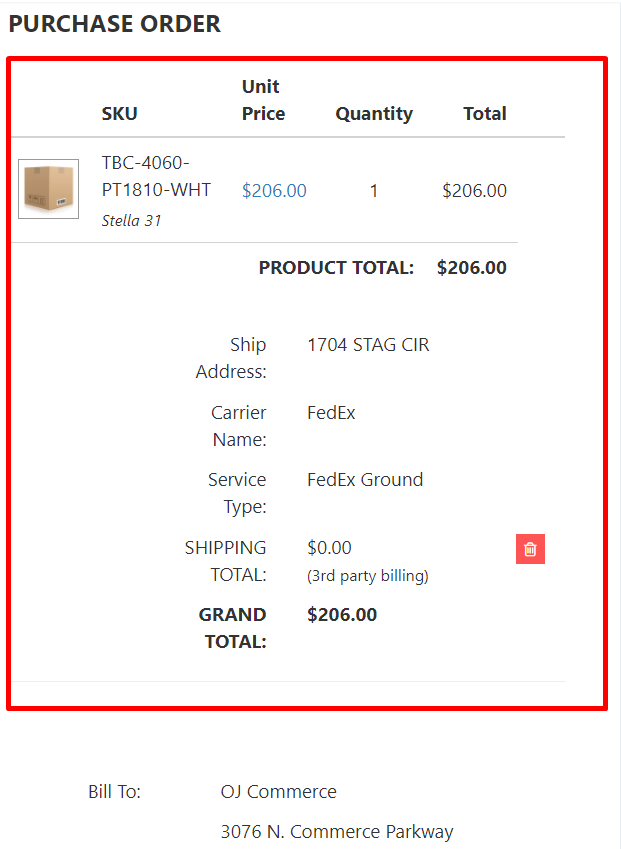
12.) The system will provide an order confirmation once the order has been successfully added.