Welcome to our Knowledge Base
Cancel an Order
Table of Contents
HOW TO CANCEL AN ORDER
1.) Go to 您的 internet browser 和 type dashboard.mportsco.com

2.) Type in the User email address 和 password. Once you enter email address 和 password, click Sign in
3.) Once on the main mPorts 仪表板 page, select 销售 订单.
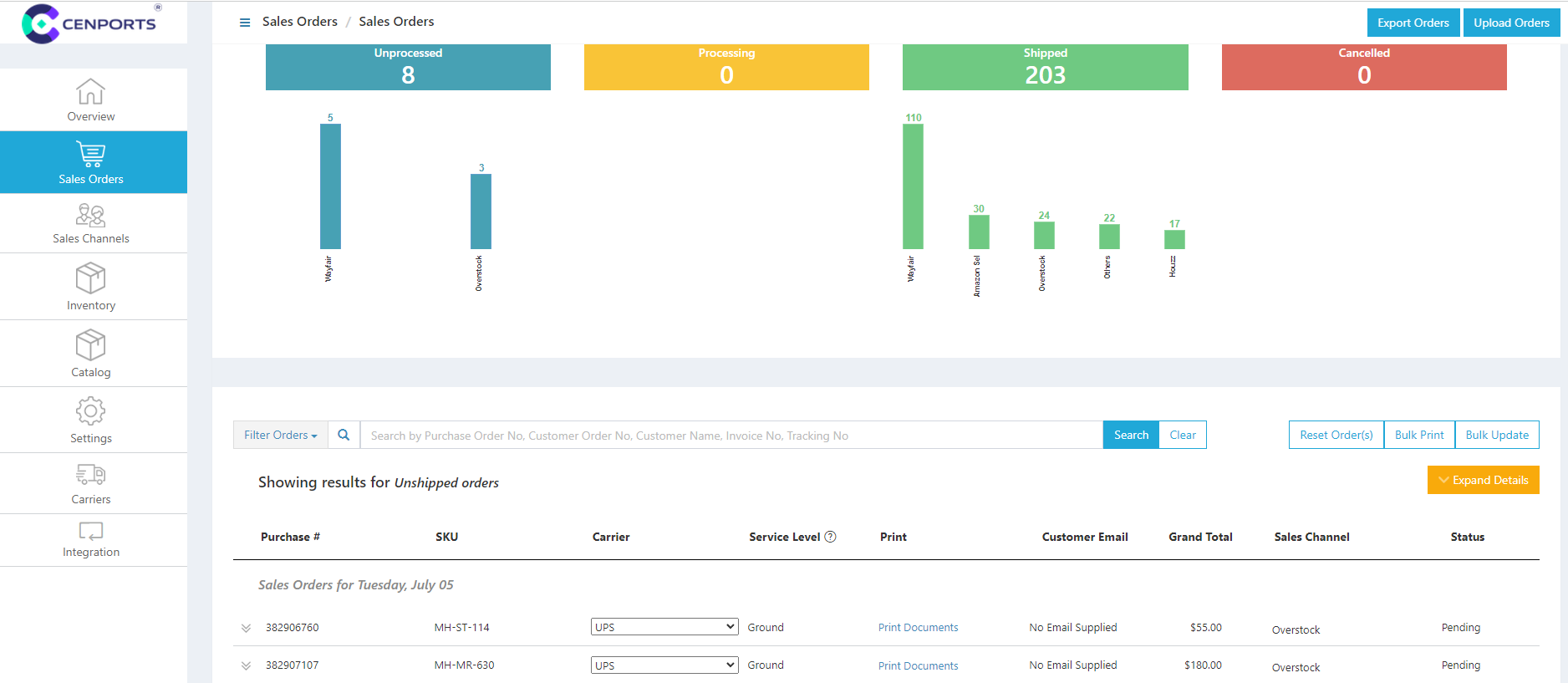
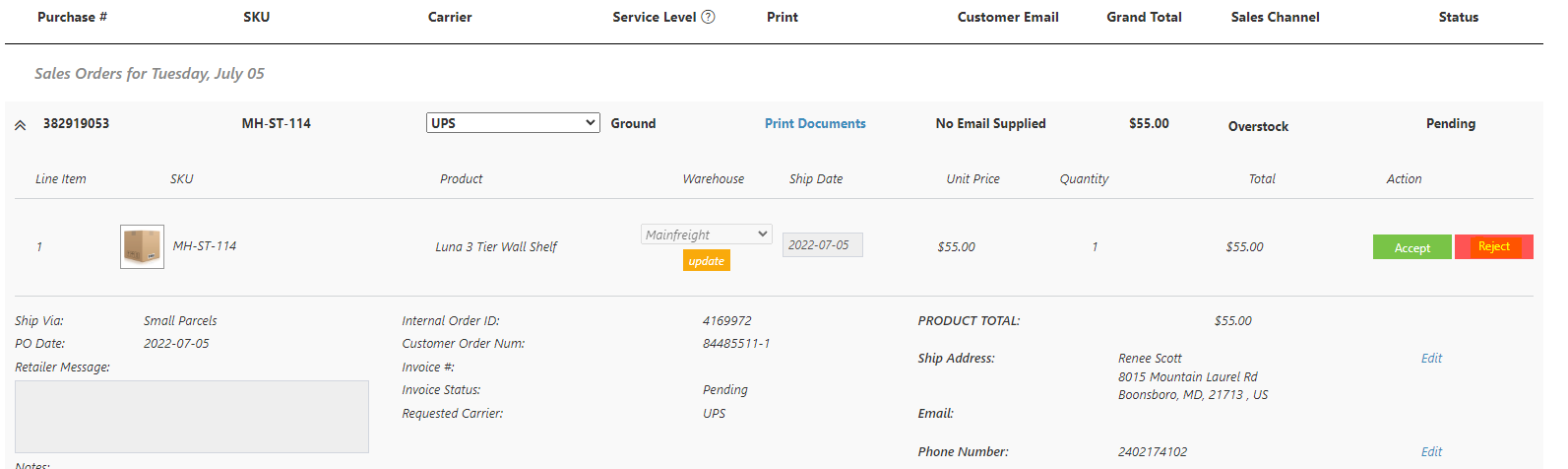
4.) Once you scroll down under 销售 订单 page, click a PO number 和 on the right side, click “Reject”.
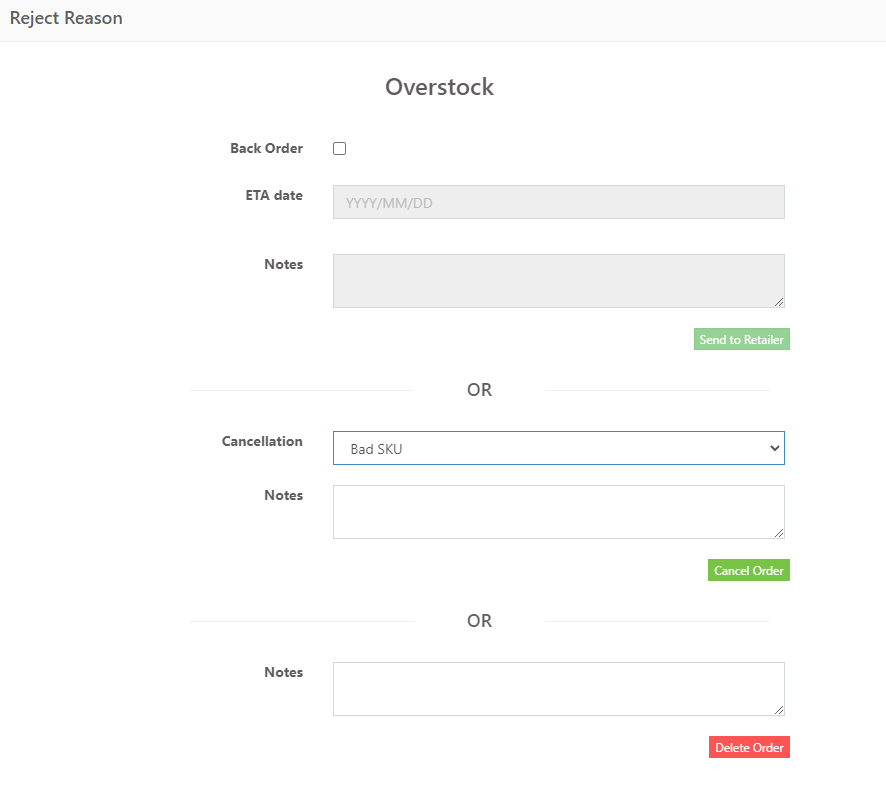
5.) After you click “Reject”, another Window will show up. Select under cancellation the reason for canceling orders 和 you may add notes about the order.