
Welcome to our Knowledge Base
Creating Multiple Boxes
Table of Contents
创建多个箱子
1.) Sign in to 您的 dashboard. Reference: https://dashboard.mportsco.com/login
2.) From the main dashboard, click Catalog on the left navigation page 和 go to the Manage SKU tab.
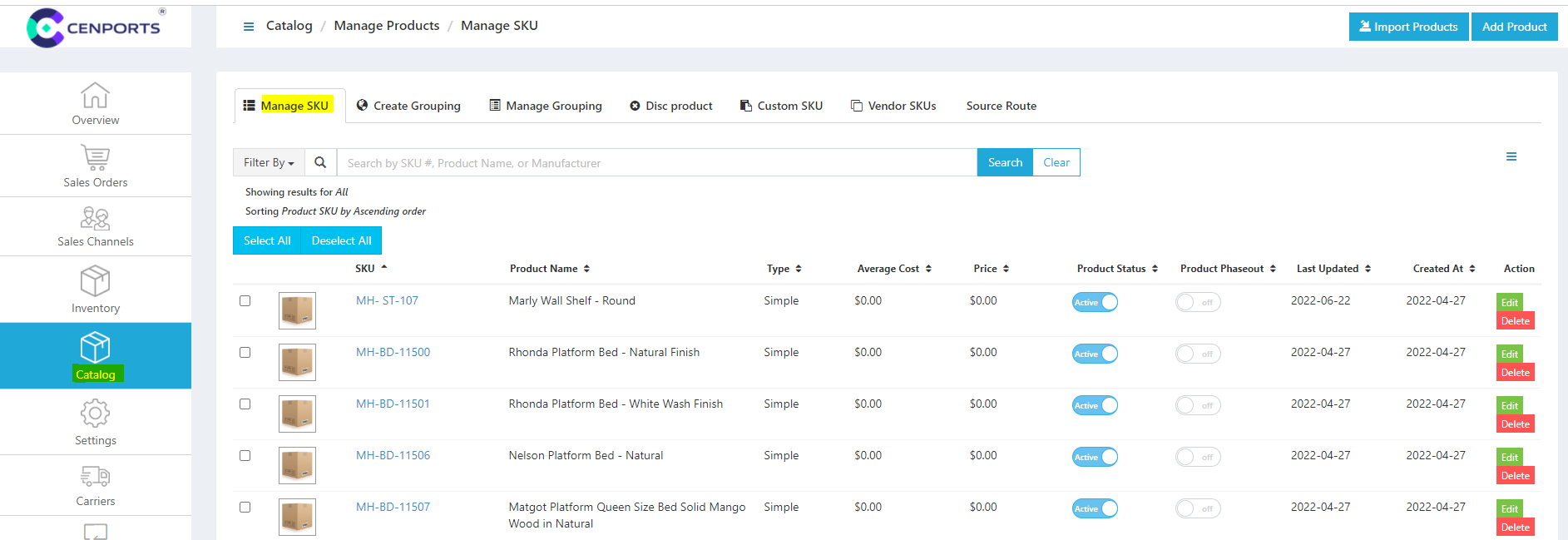
3.) Select one SKU you want to set for multiple boxes 和 click Edit. Once you click edit, click the 运输 Tab. Under Total boxes, you may select a number of boxes you want for the specific SKU.
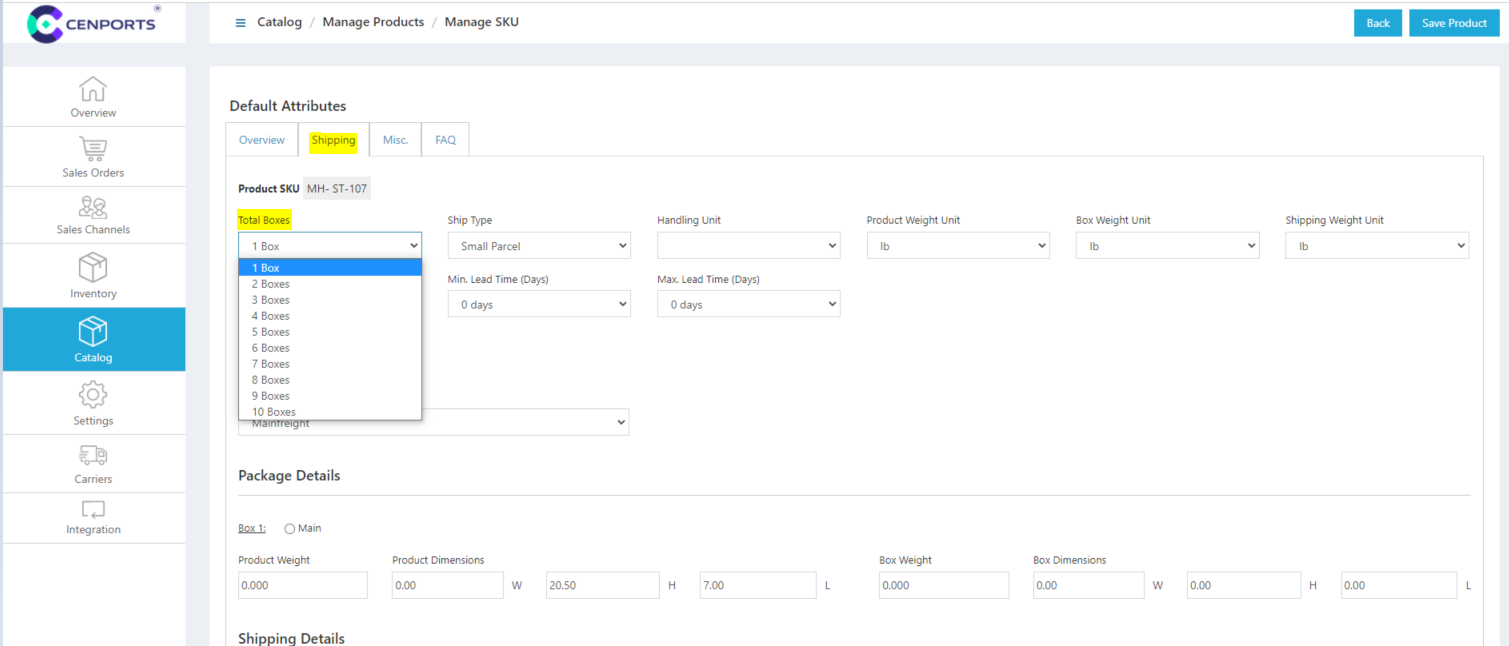
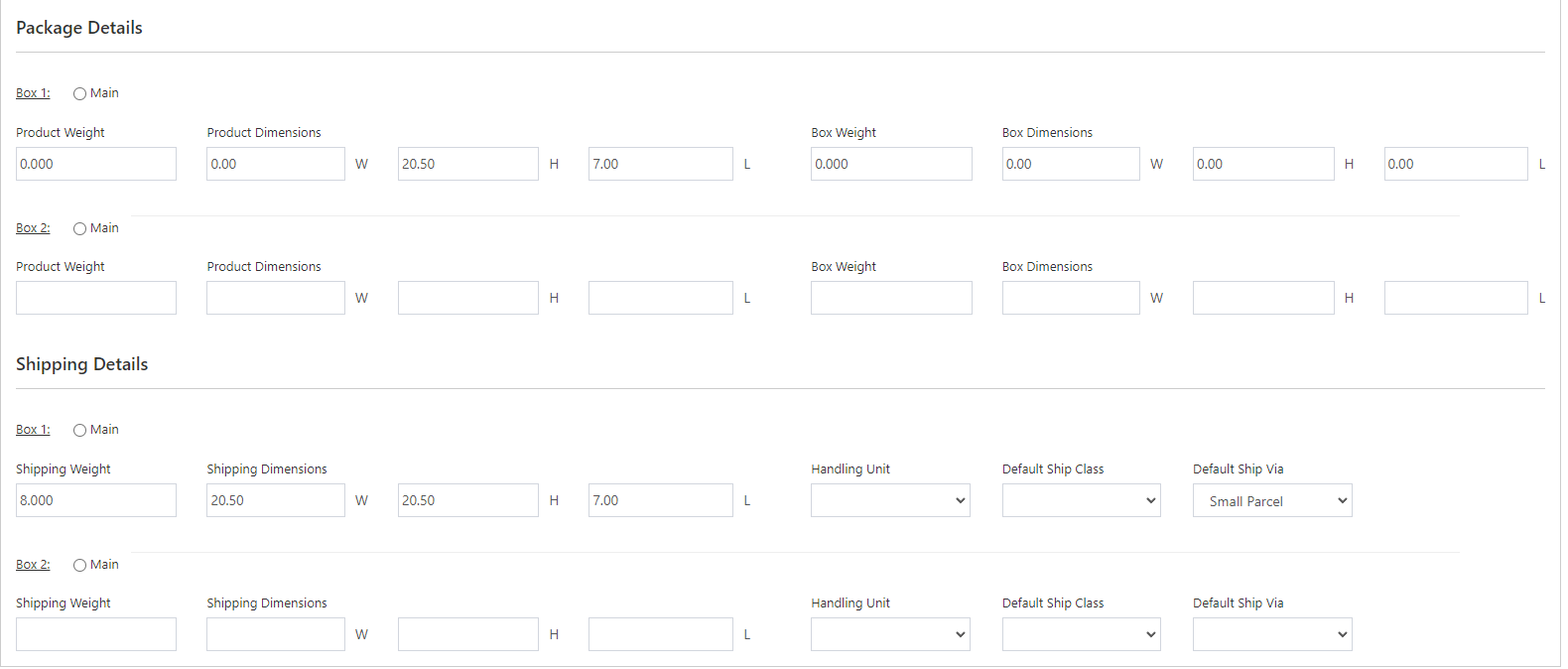
4.) Once you select more than 2 boxes, you may start filling out the information needed.
5.) Once you are done with the above information, click Save 产品 on the upper right corner of the page.
6.) If the product information is being saved, that particular SKU can now be ordered in multiple boxes.