
Welcome to our Knowledge Base
Creating a Custom SKU
Table of Contents
创建一个定制的SKU for the product
Some 零售ers will have a different SKU in their system compared to the SKU in our system. You will need to create a custom SKU for that product 和 enable it on the 库存 template to send it.
* Please note that the custom SKU will belong to the sales channel assigned to it 和 does not apply to other sales channels.
In order to create a custom SKU:
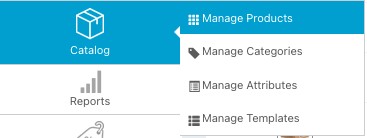
- Go to Catalog > Manage 产品s
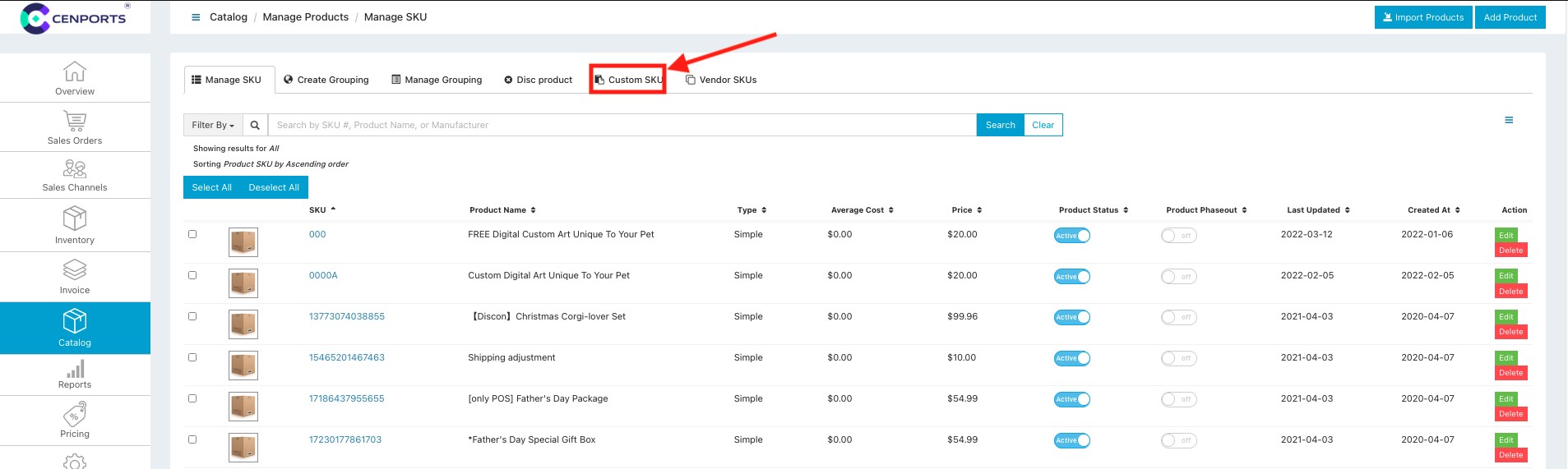
2. Go to the tab that says Custom SKU. (If you cannot see this tab, please contact the tech team 和 we will add the access for you)
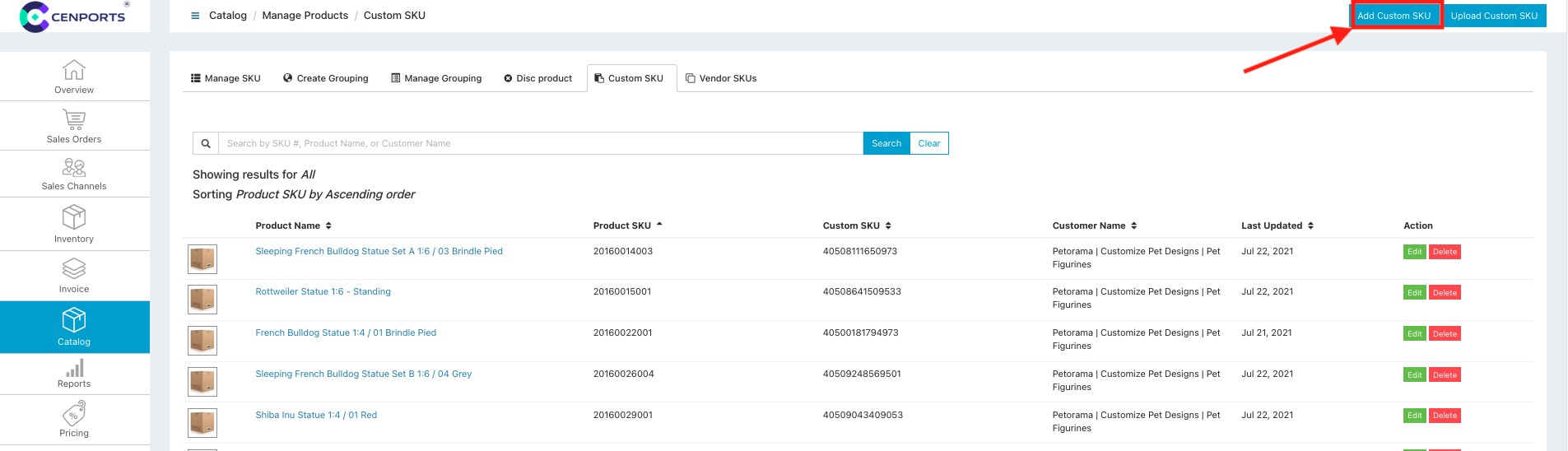
3. Once you are t这里, you can click Add Custom SKU to start the custom SKU creation.
4. A form will appear 和 you will need to fill out the following information:
- 产品 SKU (the SKU of the product on our dashboard)
- Custom SKU (the 零售er’s SKU)
- Customer (the 销售 Channel on our dashboard that this SKU belongs to)
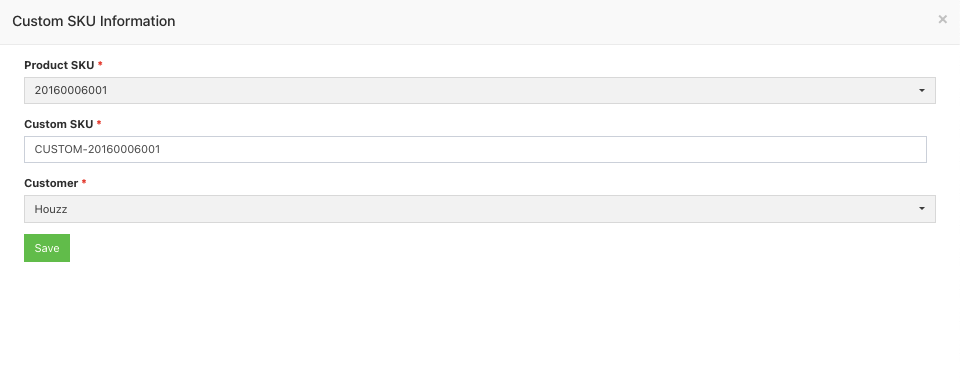
5. Click Save once finished 和 the custom SKU will be saved to our system.