
Welcome to our Knowledge Base
BigCommerce API Integration
Table of Contents
This guide will help you integrate 您的 大商务 store into our mPorts system.
The following information will be created or recorded in this guide:
- Client ID
- Client Secret
- Access Key
- Store URL
How to generate 您的 client credentials :
- In order to get 您的 client credentials, please log into https://www.bigcommerce.com using the store owner account of 您的 大商务 Store.
- Once you are logged in, select the store you are planning to integrate with 和 go to Advanced Settings > API accounts
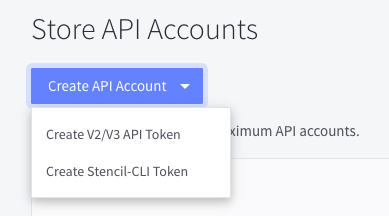
- Click on Create API Account > Create V2/V3 API token
- Once you are at the creation page, please type in a name for the API account.
- Under the OAuth scopes, please change these scopes to the following permissions:
- 订单s : Modify
- 产品s: Modify
- Information & Settings: Read-only
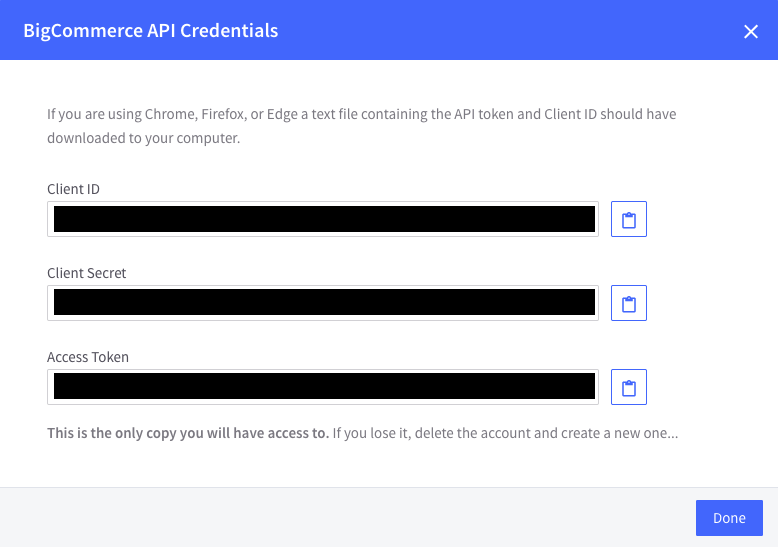
- After you set the permissions, save the account 和 you should get a pop-up window with 您的 Client ID, Client Secret, 和 Access Token. Please make sure to save this information somew这里 because t这里 is no way to find this information again. If you are using Edge, Chrome, or Firefox, a text file containing this information will be downloaded to 您的 computer.
How to get 您的 Store URL:
- To get 您的 store URL, please log into https://www.bigcommerce.com 和 go to 您的 store dashboard.
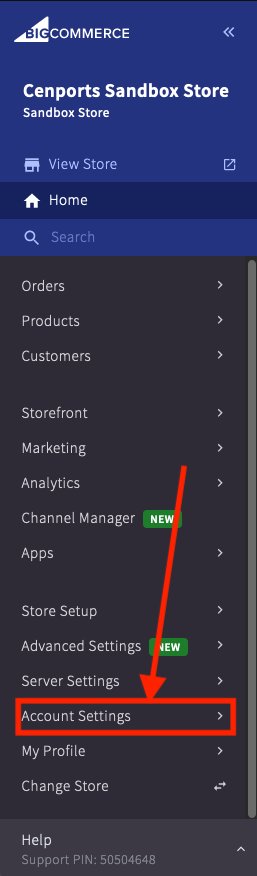
- Once you are logged into 您的 store, please go to Account Settings > Store Details
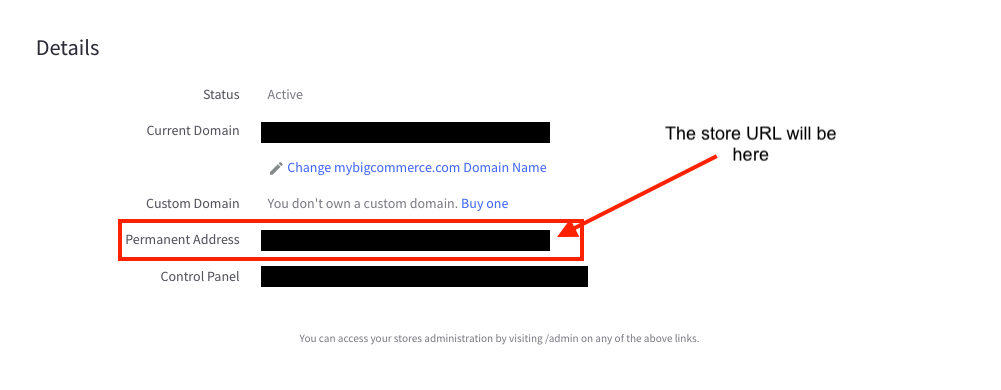
- You will be redirected to a page containing 您的 store information. Please scroll down 和 get the Permanent Address. This is the store URL.
Once you have all the required information, please contact integrations@mportsco.com with the required information 和 the email you use to log into mPorts:
- mPorts User Email
- Client ID
- Client Secret
- Access Token
We will reply back once we have integrated 您的 store into our system.